 AI & Sales
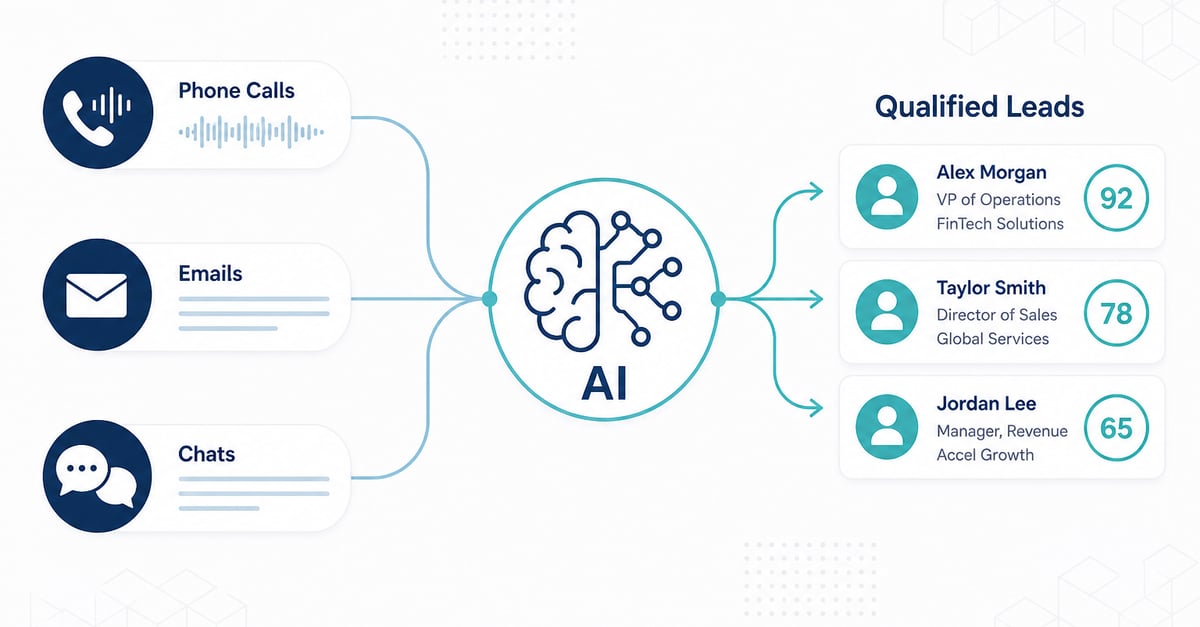
How AI Turns Calls, Emails, and Chats Into Qualified Sales Leads
Most businesses already have the leads they need buried inside everyday conversations. This guide shows how AI detects buying intent, scores fit, updates CRM, and triggers follow-up across calls, email, and chat.
Why businesses need this
Every day, prospects ask about pricing on calls, request demos over email, and signal buying interest in WhatsApp or website chat. Without a system to catch those signals, sales teams chase cold lists while warm opportunities go cold.
A mid-size company may handle hundreds of calls, emails, and messages daily. Inside that volume are people who are:
- Asking about pricing
- Requesting a demo or proposal
- Comparing competitors
- Sharing a timeline or budget
- Ready to buy but waiting for a reply
Without AI, those signals stay locked in inboxes, recordings, and chat logs. Reps miss them. Follow-ups slip. Revenue leaks quietly.
The business problem is not lack of conversations. It is lack of visibility into which conversations mean buying intent.
AI solves that by listening across channels, detecting interest, scoring fit, and pushing the right lead to the right person automatically.
The Business Flow (Not Just the Tech)
At a business level:
Conversation → AI analysis → Intent → Lead score → CRM update → Sales alert → Follow-up task
Technically, each step is a pipeline stage:
Ingestion → Normalization → AI Analysis → Decisioning → CRM Sync → Alert → Task Automation
1. Customer conversation (ingestion)
Calls, emails, and chats enter as events with channel, timestamp, participants, and a link to the raw audio/text.
- Calls: audio file + recording metadata
- Email: message/thread via API or webhook
- Chat/WhatsApp/SMS: session messages
Queued ingestion keeps volume spikes from blocking other channels.
2. AI analyzes the conversation
Unstructured content becomes structured data:
| Process | Output |
|---|---|
| Speech-to-text + diarization (calls) | Transcript (agent vs prospect) |
| Intent classification | demo, pricing, support, etc. + confidence |
| Entity extraction (NER) | company, product, budget, timeline |
| Sentiment + summary | Tone + short sales brief |
Example output:
{
  "intent": "request_demo",
  "confidence": 0.93,
  "entities": { "company": "Northwind", "timeline": "Q3" },
  "sentiment": "positive",
  "summary": "Wants enterprise pricing and a demo this week."
}
3. Intent detected
High-intent means buying language: demo, pricing, competitor comparison, budget, urgency ("this week", "Q3").
Only auto-route when confidence clears a threshold (e.g. ≥ 0.80). Lower-confidence items go to review or nurture.
4. Lead scored
Score blends conversation + fit:
LeadScore = Intent (40%) + ICP Fit (25%) + Engagement (20%) + Urgency (15%)
Tier A (e.g. 80+) goes to sales now; mid scores go to nurture; low scores are logged only.
5. CRM updated
Upsert lead/contact/account, write intent + score + summary, append activity to the timeline. Use an event_id so retries do not create duplicates.
6. Salesperson notified
Route by territory, product, and tier. Alert via Slack/Teams (or email for lower tiers) with CRM link, why it scored high, and suggested next action.
7. Follow-up created
Automation creates the work:
- Tier A demo/pricing → task due in a few hours
- Mid score → nurture sequence
- Support intent → support queue (not sales)
Optional: AI drafts the reply; human approves before send on high-value deals.
Call recordings to sales-ready leads
AI listens to recorded calls and extracts what matters for sales:
- What product or service the prospect cares about
- Whether they asked about pricing, timeline, or demos
- Tone: interested, hesitant, frustrated, ready
- Who the decision-maker is
- What the next step should be
Business outcome: hot calls rise to the top; reps get a short brief instead of replaying a 30-minute recording.
Example of what an analysis payload might look like after a call:
{
  "channel": "call",
  "contact": "Jordan Lee",
  "company": "Northwind Logistics",
  "intent": "request_demo",
  "intent_confidence": 0.91,
  "lead_score": 86,
  "buying_signals": ["enterprise pricing", "Q3 rollout", "competitor comparison"],
  "sentiment": "positive",
  "next_action": "schedule_demo",
  "owner": "sales_ae_west"
}
That structured output is what sales and CRM systems can act on.
Emails to qualified inbound opportunities
AI reads inbound and ongoing email threads and classifies them:
| Email type | What AI does |
|---|---|
| Pricing / RFP inquiry | Create or update lead, high priority |
| Demo request | Assign AE, create task |
| Support-only question | Route to support, not sales |
| Newsletter / noise | Ignore or archive |
| Upsell / renewal cues | Flag expansion opportunity |
Business outcome: sales stops digging through the inbox and only sees messages that look like revenue.
Illustrative classification step:
# Pseudocode: classify email intent for sales routing
result = ai.classify_email(
    subject=email.subject,
    body=email.body,
    labels=["demo_request", "pricing", "support", "spam", "partnership"]
)

if result.intent in ["demo_request", "pricing"] and result.score >= 0.80:
    crm.upsert_lead(email.from_address, intent=result.intent, score=result.score)
    notify.sales(owner=territory_owner(email), reason=result.intent)
    tasks.create(type="follow_up", due_in_hours=4)
Chats and messages to real-time lead capture
Website chat, WhatsApp, SMS, and LinkedIn DMs are short but high-intent.
AI can:
- Score interest while the conversation is happening
- Detect when a visitor asks about plans, integrations, or contracts
- Summarize the chat for a human handoff
- Create a CRM lead before the visitor leaves
Business outcome: you stop treating chat as support only and start treating it as a live lead channel.
Example handoff summary sales might receive:
- Lead: Acme Retail - Website Chat
- Intent: Implementation timeline + pricing
- Urgency: High (asked for call this week)
- Objections: Needs SSO / CRM integration
- Suggested next step: Book 20-min discovery with Solutions Engineer
- Lead score: 82
From intent to pipeline: scoring and automation
Detecting interest is only valuable if it changes what sales does next.
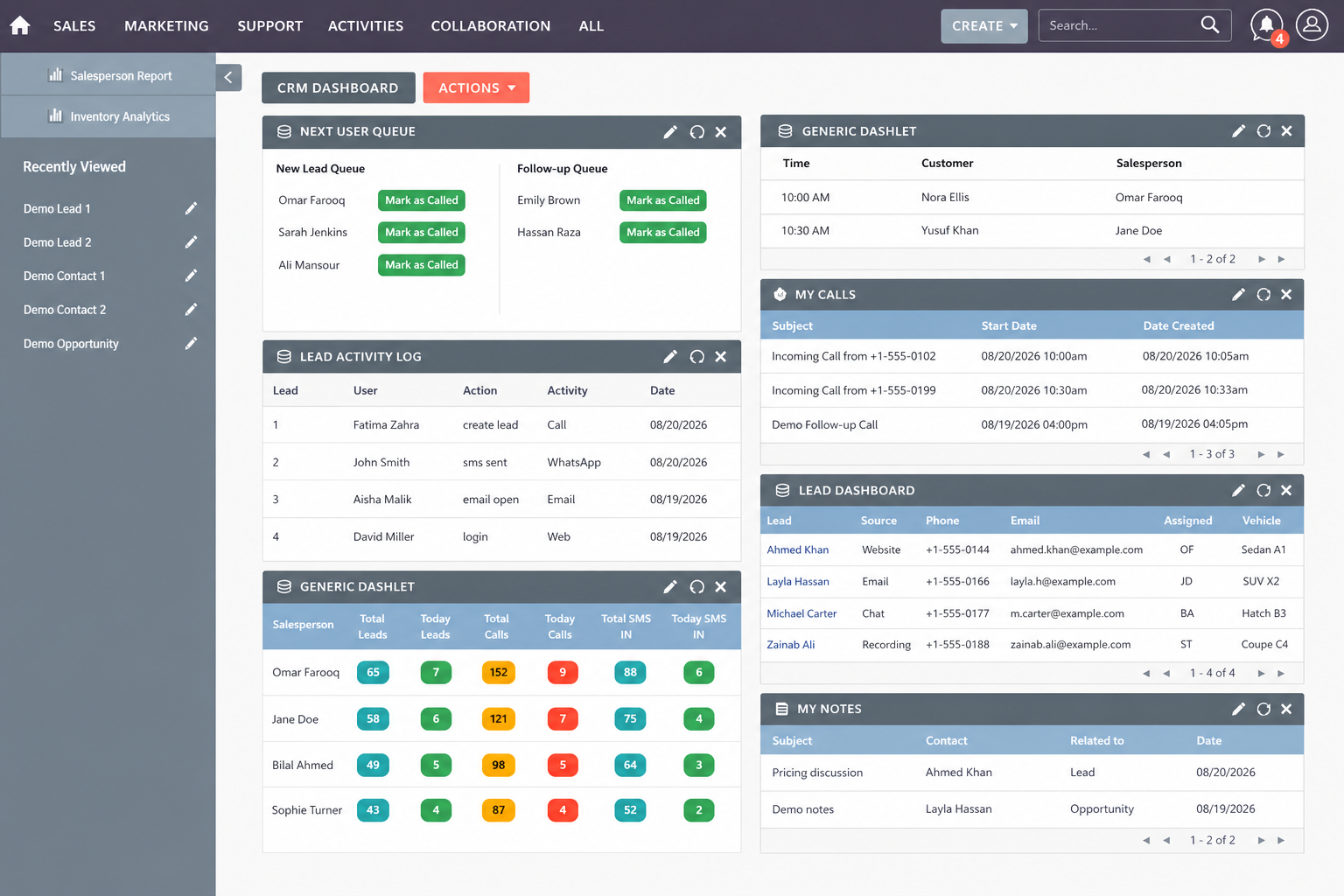
A practical system combines:
- Intent detection what do they want?
- Lead scoring how likely are they to buy?
- CRM enrichment fill company, use case, stage
- Workflow automation assign owner, create tasks, send alerts
Simple scoring logic (business-readable)
// Example: multi-channel lead score
function scoreLead({ intentScore, fitScore, engagementScore, urgency }) {
  const base =
    intentScore * 0.4 +
    fitScore * 0.3 +
    engagementScore * 0.2 +
    (urgency === "high" ? 10 : 0);

  return Math.min(100, Math.round(base));
}

// Route based on threshold
if (leadScore >= 80) assignTo("enterprise_ae");
else if (leadScore >= 60) enrollIn("nurture_sequence");
else archiveOrMarketOnly();
You do not need perfect math on day one. You need a clear rule: when intent is strong, a human gets notified fast.
What this unlocks for different businesses
| Business type | Where AI finds leads | Typical win |
|---|---|---|
| B2B SaaS | Demo calls, in-app chat, emails | Faster SQL creation |
| Agencies / consultancies | RFP emails, discovery calls | Fewer missed proposals |
| Insurance / finance | Calls + WhatsApp | Higher conversion on warm inquiries |
| Real estate | Call recordings + SMS | Faster response to serious buyers |
| E-commerce / retail | Live chat + support messages | Assisted sales on high-intent shoppers |
| Manufacturers | Partner emails + service calls | Upsell and reorder detection |
Same pattern everywhere: conversations in, qualified opportunities out.
What you can build (service map)
If your company wants this capability, these are the concrete building blocks teams usually implement:
| Capability | Business purpose |
|---|---|
| AI call analysis | Turn recordings into intent + tasks |
| AI email classification | Surface sales-worthy messages |
| Chat / WhatsApp lead detection | Capture interest in real time |
| Intent + LLM integration | Understand natural language at scale |
| Predictive lead scoring | Prioritize the best opportunities |
| CRM + AI integration | Keep Salesforce/HubSpot/etc. current |
| Workflow automation | Notify, assign, and follow up automatically |
| Multilingual NLP | Catch intent across languages and markets |
| Bot to human handoff | Convert chats without losing context |
You can start with one channel (for example, calls only) and expand once ROI is clear.
Implementation snapshot (high level)
A minimal architecture looks like this:
- Calls / Emails / Chats
- Ingestion + Storage
- AI Analysis Layer (transcript / classify / score)
- CRM + Task Engine
- Sales Alerts + Follow-ups
Technically, that may include speech-to-text for calls, NLP/LLM classification for text, scoring rules or models, and connectors to your CRM and messaging tools. Commercially, what matters is the outcome: fewer missed buying signals, faster follow-up, cleaner pipeline.
Could your business turn existing conversations into leads?
If your team already talks to customers every day, you may not need more traffic first. You may need a better system to convert conversations you already have.
Businesses typically implement solutions such as:
- AI call analysis
- AI email classification
- AI chat / WhatsApp lead detection
- Lead scoring models
- CRM integration
- Automated follow-ups
- AI sales assistants for summaries and next actions
If you want help designing or building this for your sales stack, from a single-channel pilot to a full multi-channel lead engine, reach out and we can map what fits your workflows, tools, and volume.
Key takeaway
AI does not invent leads out of thin air. It finds the buying intent already sitting in your calls, emails, and chats, then scores it, syncs it to CRM, and makes sure someone follows up.
That is how modern businesses turn everyday conversations into a reliable sales pipeline.